
EZChildTrack Parent Portal
EZChildTrackParenting
3.010.00 Reviews
- Version
- 2026.0.0623
- Installs
- 10.00K
- Age Rating
- Everyone
Screenshots
Our Review of EZChildTrack Parent Portal
 Analysis by Appyee
I spent time looking at EZChildTrack Parent Portal as a parent-facing childcare app rather than treating it like a general family organizer. Its purpose is narrow but useful: it connects families with childcare management software from EZChildTrack. That distinction matters. This is not an app I would choose for shared grocery lists, school homework, family calendars, or casual messaging. Its value depends on whether your childcare provider uses the EZChildTrack system and expects parents to interact with it there.
The app is free, rated for Everyone, and available for Android devices running version 6.0 or later. It was released on April 16, 2023, and the current version is 2026.0.0623. I also found it listed with more than ten thousand installs, a 3.0 average from roughly twenty ratings, and ten written reviews. Those figures suggest a small user base and a mixed experience, so I would approach it as a practical access tool rather than a polished, universally useful parenting platform.
How EZChildTrack Parent Portal fits into childcare routines
The clearest way to understand this app is to picture it as the parent side of an existing childcare operation. A daycare, preschool, after-school program, or similar provider may use EZChildTrack to manage its work, while parents use the portal to reach the information and actions made available to them. The app itself is therefore only one part of a larger system.
That setup creates an important first question before installation: does your childcare center actually use EZChildTrack? If the answer is no, downloading it is unlikely to create any value by itself. A parent cannot turn the app into a standalone childcare manager simply by installing it. Its usefulness comes from the connection with the provider, the account details supplied by that provider, and the routines the center has chosen to support.
I like this focused approach in principle. Parents do not necessarily need another broad app filled with unrelated features. When a childcare provider and its families use the same portal, the app can serve as a single doorway into that relationship. It also avoids forcing parents to manage the provider’s software from a desktop browser every time they need to check something.
At the same time, the narrow purpose can make the experience feel limited. A parent looking for a complete record of family schedules, medical information, school communication, and household planning will need other tools. EZChildTrack Parent Portal should be judged as a companion to childcare administration, not as a replacement for the wider collection of apps many families already use.
What the free price really means
The app is free to download and use as an app, which gives it an obvious advantage for families who have already been directed to it by their childcare provider. There is no purchase decision to weigh in the usual sense, and I would not describe it as an app where parents need to pay to unlock the basic reason for installing it.
Still, “free” does not mean that every childcare service connected to the platform is free. The app is a parent access point, while the provider’s own childcare arrangements, fees, and policies remain separate matters. I would treat the free price as a benefit for accessing the portal, not as a promise that childcare itself costs nothing or that every provider-supported service has identical terms.
This is also why the app’s value cannot be measured only by its download price. If your center uses it every day, free access can remove a small but recurring point of friction. If your center rarely updates the portal or relies on another communication method, the same free app may sit unused. The practical value comes from adoption by the provider and parents, not from the price label alone.
Where the app can save time
The strongest use case is the ordinary handoff day. Imagine a parent preparing two children for childcare before work. Instead of searching through old messages, calling the center, or opening a computer, the parent can use the designated portal app as the first place to check whatever the provider has made available. That does not eliminate every question, but it can make routine information easier to find.
A second useful situation is when both parents or other approved caregivers need to stay aligned. A shared provider-facing portal is more dependable than forwarding screenshots or relying on one person to remember a conversation. The benefit is especially practical in families where pickup responsibilities change during the week. The app gives the childcare relationship a common digital reference point, assuming the center keeps it updated.
A less obvious advantage is reducing communication fragmentation. Families often receive childcare information through a mixture of paper notes, email, phone calls, and informal messages. A dedicated portal cannot solve inconsistent provider habits, but it gives the center a defined channel. My advice is to decide early what the portal is for: routine updates and account-related tasks should go there, while urgent matters should still follow the center’s direct contact procedure.
Another useful habit is checking the portal at a fixed point in the day rather than repeatedly opening it. For example, a parent could review it after the morning drop-off and again before arranging pickup. That approach makes the app part of a predictable routine without turning it into another source of notification anxiety. The app’s value is greatest when it supports a clear workflow rather than becoming an app parents install and forget.
Practical limits parents should expect
The modest average rating is worth taking seriously, even though the number of ratings is relatively small. It does not prove that the app will fail for a particular family, but it does tell me not to promise a uniformly smooth experience. Parent portals are especially sensitive to small problems: a slow sign-in, unclear status, or missing update can matter when someone is trying to get out the door.
I would also avoid assuming that the app replaces direct contact with the childcare center. A portal can organize information, but it is not automatically an emergency channel. If a child is ill, a pickup arrangement changes at short notice, or a safety issue needs immediate attention, I would use the method the provider has explicitly designated. The app should support communication, not become the only communication route.
There is a broader trade-off between specialization and flexibility here. A general family organizer may offer more control over custom reminders, shared calendars, notes, and household planning. EZChildTrack Parent Portal is more relevant when the provider is already operating within its system. In other words, a general app gives the family more freedom, while this portal can give the family a more direct connection to one childcare organization.
Parents should also be prepared for the experience to depend partly on the provider’s administration. If staff do not maintain information consistently, even a well-designed portal will feel incomplete. That is not necessarily a flaw in the mobile app itself, but it is a real part of the user experience. Before relying on it, I would ask the center which information is posted there, how often it is updated, and which issues still require a phone call or email.
Who is likely to get the most value
I would recommend trying it first to parents whose childcare provider specifically instructs them to use EZChildTrack. They already have the essential reason to install it, and the free access makes experimentation low-risk. It is also a sensible fit for families who want a provider-specific channel instead of keeping every childcare detail in personal notes or scattered conversations.
It may be particularly helpful for households with changing pickup arrangements. When several adults coordinate care, a shared portal can reduce the need for one parent to act as the messenger. The improvement will depend on how the center handles accounts and updates, but the basic idea is sound: keep childcare information connected to the organization responsible for it.
I would be more cautious for parents who prefer one all-purpose family dashboard. If your main goal is meal planning, schoolwork, appointments, medication reminders, or family task management, this is not the right tool to build that system around. You would still need a broader organizer, and adding a specialized portal may feel like extra maintenance rather than simplification.
It is also not an obvious choice for someone whose provider communicates effectively through a different established platform. Switching channels only makes sense if EZChildTrack is the center’s working system. Installing an app without provider support can create confusion, especially if parents start checking it for updates that the center never intended to publish there.
How I would set it up for everyday use
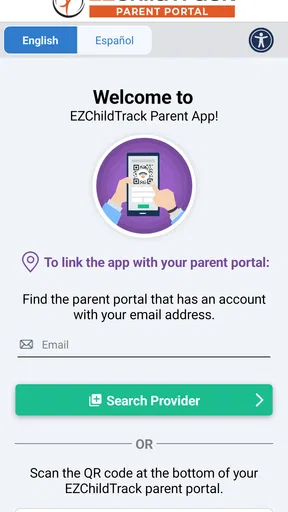
My first step would be to confirm the provider’s exact enrollment instructions before spending time troubleshooting. I would use the account details supplied by the center, check that the correct child or family profile appears, and then compare the portal with the communication process the center described. This simple check helps separate an account or provider setup issue from a genuine app problem.
Next, I would decide which information deserves an immediate check and which can wait. Parents often lose time treating every portal visit as urgent. A better workflow is to use the app for planned checks, keep the center’s direct contact details easy to reach, and avoid assuming that a portal update is the same as a real-time conversation.
For shared caregiving, I would make sure the other approved adults understand the same boundaries. They should know where routine information appears, who is responsible for responding to provider requests, and when a phone call is necessary. This prevents a common failure in digital coordination: everyone assumes someone else saw the update.
Finally, I would keep the app only if it genuinely reduces effort after a short trial in the family’s real routine. Because it is free, the financial risk is low, but time and attention still have value. If the provider does not use it consistently, a simpler communication method may be better. If it becomes the reliable place for childcare information, keeping it installed is easy to justify.
My verdict on value and whether to skip it
EZChildTrack Parent Portal is a specialized, free parenting app with a very specific job. I see its best value in connecting parents to a childcare provider that already runs on EZChildTrack. In that situation, it can make routine coordination more orderly, give multiple caregivers a shared point of reference, and reduce dependence on scattered messages.
I would not recommend it as a universal parenting download. The app does not replace a family organizer, a school communication platform chosen by another institution, or direct contact for urgent matters. Its usefulness is conditional, and the mixed average rating means I would keep expectations practical rather than assuming a flawless experience.
My recommendation is simple: install it when your childcare provider actively uses EZChildTrack, then judge it by whether it makes your actual handoff and information-checking routine easier. For those families, the free price makes trying it worthwhile. For everyone else, skipping it is the more efficient choice, because a provider-specific portal has little value without the provider-specific connection behind it.
EZChildTrack, the developer, has positioned this as childcare management software rather than a broad lifestyle product, and that focus is both its strength and its limitation. I would keep it in the “useful when required” category: not an app I would recommend to every parent, but a potentially practical tool for families whose childcare center has made it part of the daily process.
Verdict
Strengths of EZChildTrack Parent Portal
- Quickly view attendance, schedules, and daily activity updates.
- Secure messaging helps parents communicate with childcare staff.
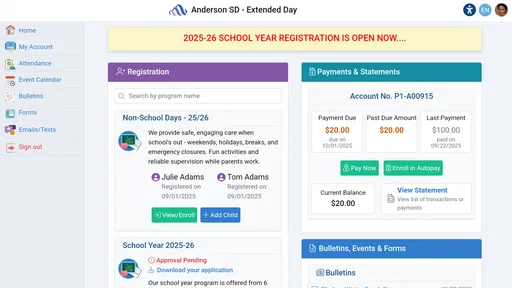
- Easy access to invoices, balances, and payment history.
- Useful notifications keep families informed about important changes.
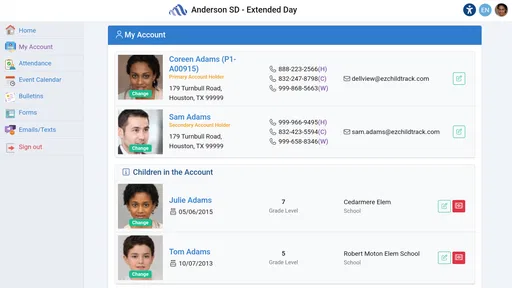
- Supports multiple children under one parent account.
Limitations of EZChildTrack Parent Portal
- Some features may depend on the childcare center’s setup.
- Payment options and fees can vary by provider.
- The interface may feel dated on certain devices.
- Notifications can be inconsistent if app permissions are restricted.
- Account issues often require contacting the childcare center directly.
Similar Picks in This Category
View All
Family Space
Motorola Mobility LLC.3.9

شرطة الأطفال - مكالمة وهمية
Oub Apps4.1

Findmykids: Parental Control
LETEM LTD4.6

Pregnancy + | Tracker App
Philips Electronics UK Limited4.8

Policía de niños - para padres
Kids police4.7

Pregnancy App
Amila4.9
Frequently Asked Questions
What is EZChildTrack Parent Portal used for?
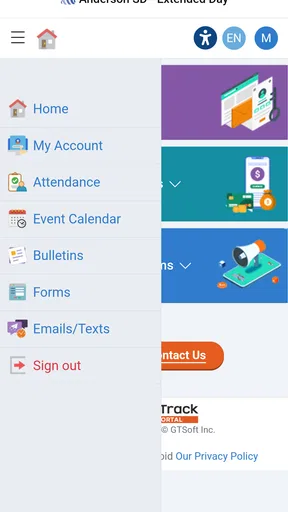
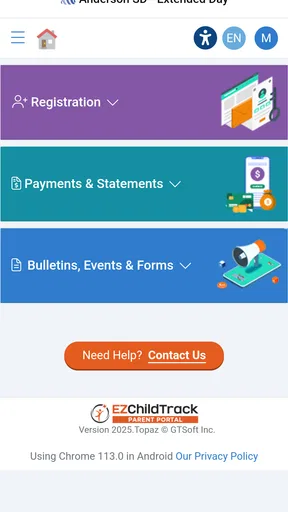
EZChildTrack Parent Portal is designed to help parents and guardians manage childcare-related information from a mobile device or web browser. Depending on the childcare provider’s setup, you may be able to view schedules, attendance records, account balances, invoices, payment details, messages, registration information, and important announcements in one centralized place.
How do I sign in to EZChildTrack Parent Portal?
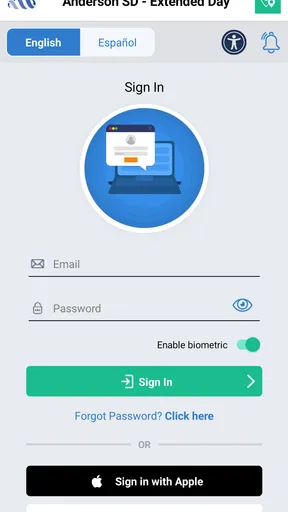
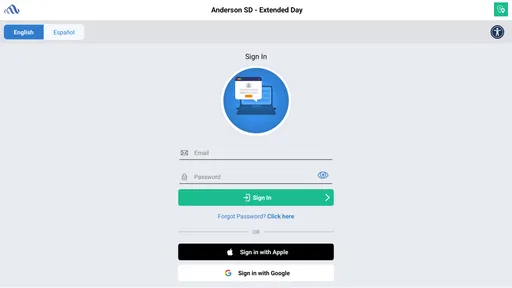
To use the portal, you generally need an account created or activated through your childcare provider. Sign in with the email address, username, or credentials supplied by the provider, then follow any verification steps shown on screen. If you cannot log in, have forgotten your password, or do not see your child’s information, contact the childcare center rather than creating a separate account.
Can I make childcare payments through the parent portal?
Many EZChildTrack installations allow parents to review charges, see outstanding balances, and submit payments online, although available features can vary between childcare providers. Before paying, check the selected child, invoice, amount, and payment method carefully. The portal may also provide receipts or transaction history, but your provider controls billing rules, due dates, refunds, and accepted payment options.
Can I manage more than one child or childcare program?
If your childcare provider has linked multiple children or programs to your family account, the portal may let you switch between profiles and review information for each child. The exact layout and permissions depend on the provider’s configuration. If a child is missing, details appear incorrect, or another authorized guardian needs access, the childcare office usually must update the account.
Is EZChildTrack Parent Portal safe to use, and what should I do if it stops working?
The portal is intended to provide secure access to childcare and billing information, so you should use a private connection, keep your login details confidential, and sign out on shared devices. Keep the app or browser updated and install it only from an official source. If pages fail to load, notifications are delayed, or information looks wrong, check your connection first and then contact your childcare provider for support.
